Construction closeout, made clear

Close every project with confidence.

Closr+ gives construction teams one calm workspace for checklists, documents, punch work, warranties, and final handoff.

iPhone in the fieldiPad on siteWeb at your desk
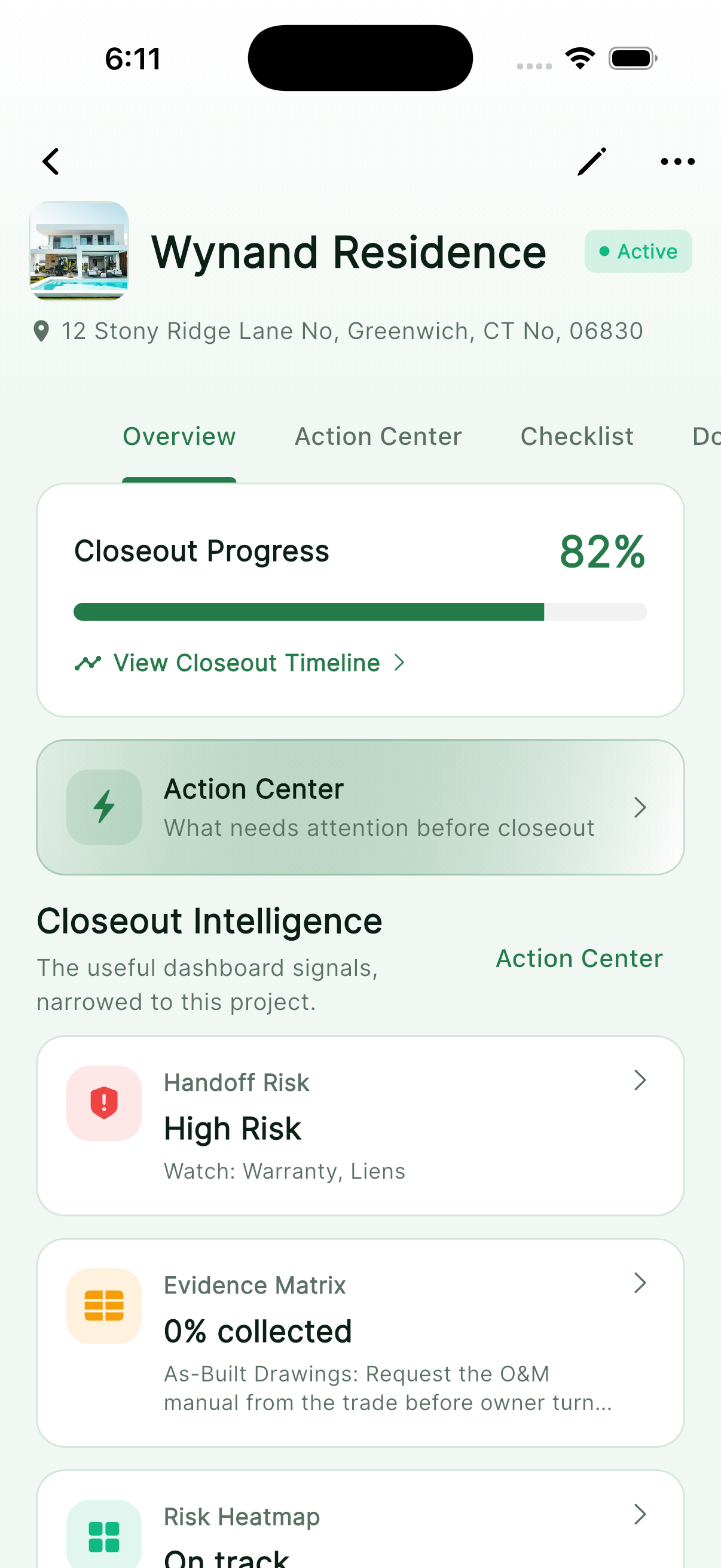
Closr+ Action Center on iPhone
Closr+ project overview on iPhone
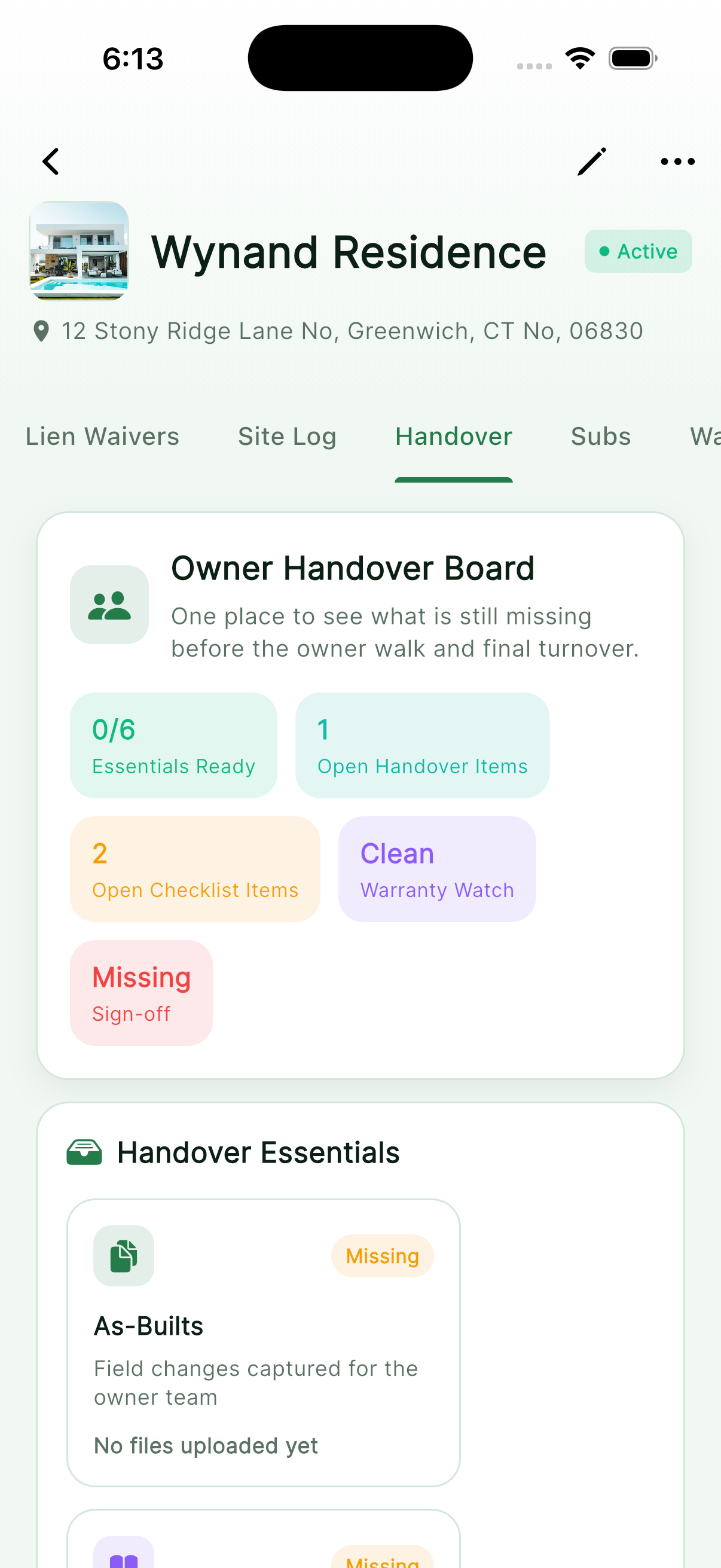
Closr+ handover package on iPhone

The closeout problem

Closeout fails in the gaps.

Documents live in inboxes. Punch work loses an owner. Warranty details surface after handoff. Closr+ gives the project one closeout spine—from the first checklist to the final package.

Built for the way teams actually work

One workspace. Three useful forms.

Use the device that fits the moment. These are real Closr+ product views from each platform—not stretched phone screens.

01 / iPad

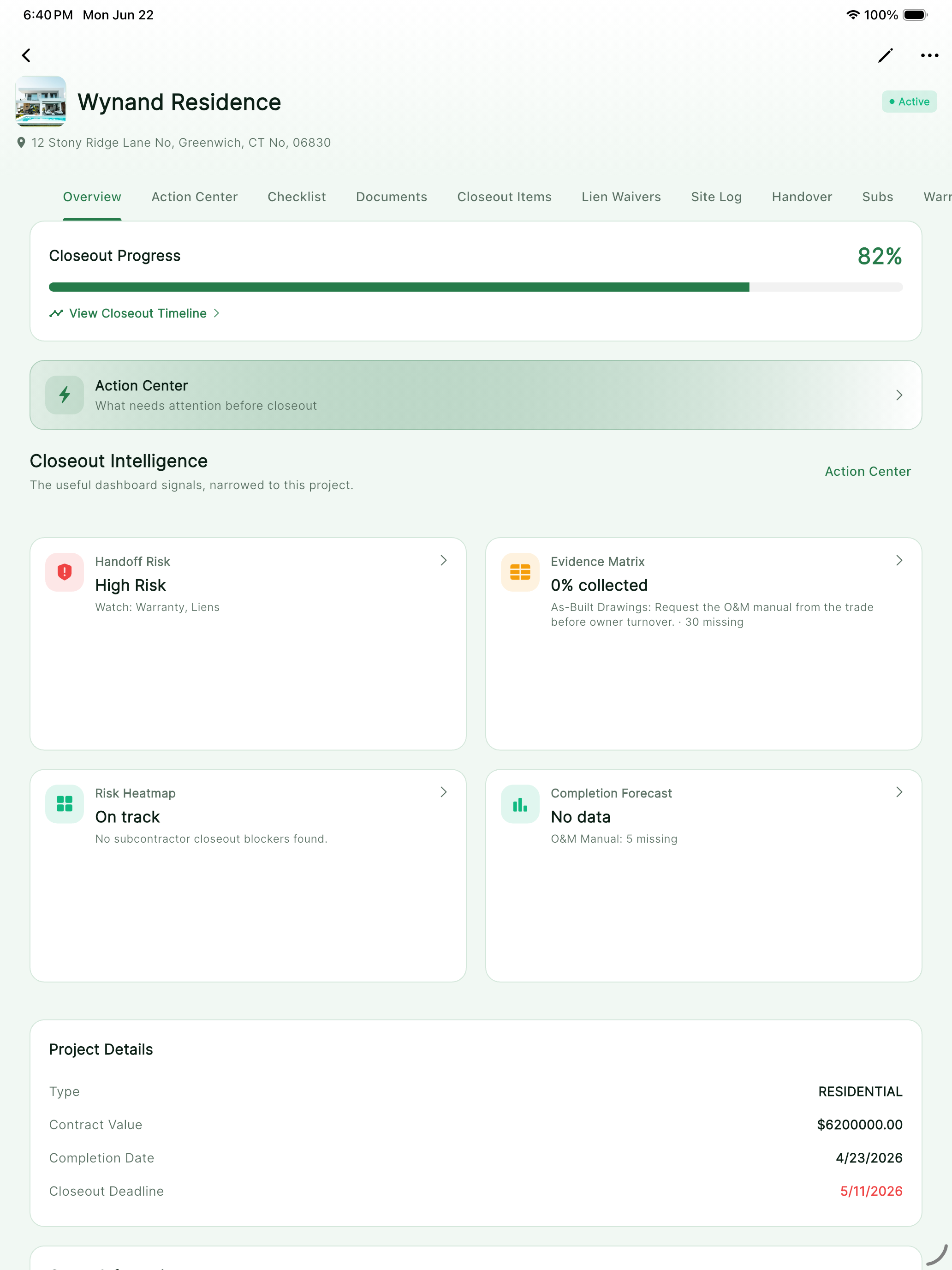
Room to review the whole project.

The native iPad layout keeps navigation, project intelligence, and closeout status visible together—useful in trailers, meetings, and site walks.

  • Native iPad workspace
  • Project overview and closeout status
  • Checklist and document workflows
Native Closr+ project overview on iPad
app.closrplus.com
Authenticated Closr+ project overview in a desktop web browser
02 / Desktop web

Open the same closeout at your desk.

The authenticated web app gives office teams a wide project view without a desktop install. Review progress, project signals, and handoff work from any modern browser.

Open Closr+ on the web

A complete closeout path

From open work to owner handoff.

01

Start with a real closeout plan

Create the project and Closr+ builds the core checklist that gives every required handoff item a place.

02

Collect the evidence

Keep closeout documents, progress evidence, warranties, and project records together instead of chasing disconnected files.

03

Resolve what remains

See checklist progress, open punch work, and project signals without reconstructing the status from email threads.

04

Deliver a coherent handoff

Build the closeout package and move the project from active work to a clear, professional owner handoff.

The full project story in your pocket

Not another file dump.

Each Closr+ view answers a specific closeout question: what needs attention, what is complete, what must be delivered, and what the owner will need later.

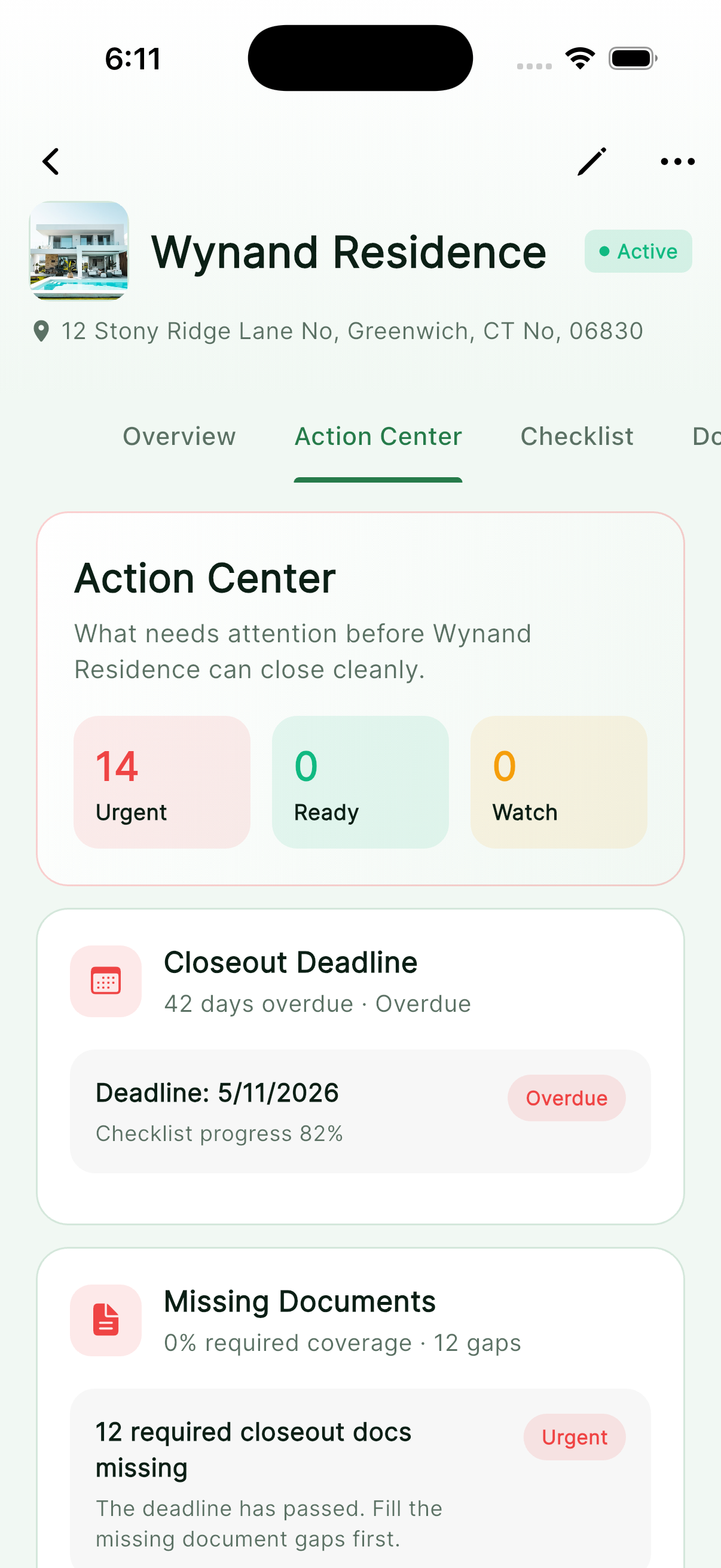
Action center in Closr+ on iPhone

Action center

Know where attention belongs.

Closr+ turns project records into a clear operational view so closeout risk does not hide in the noise.

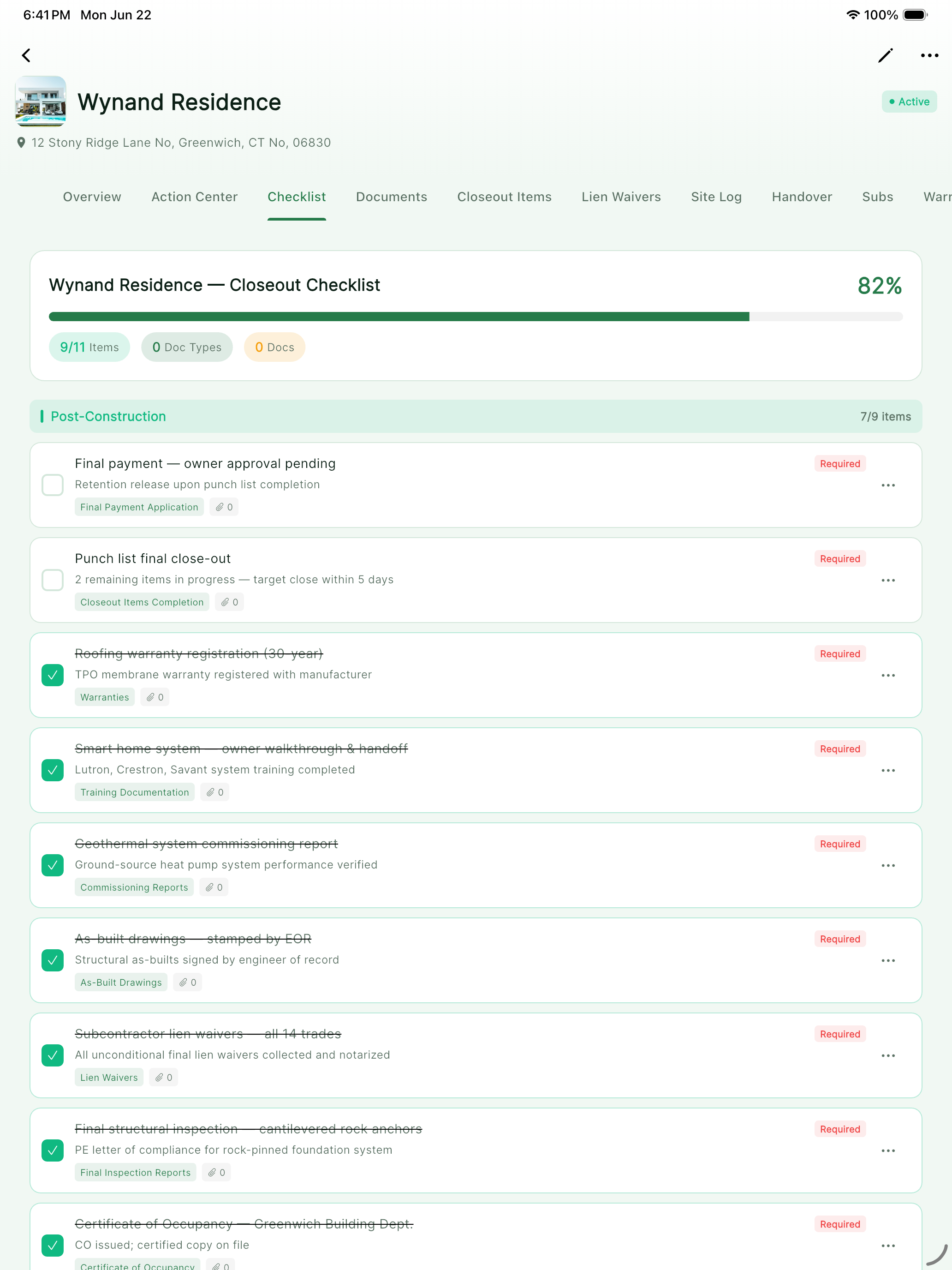
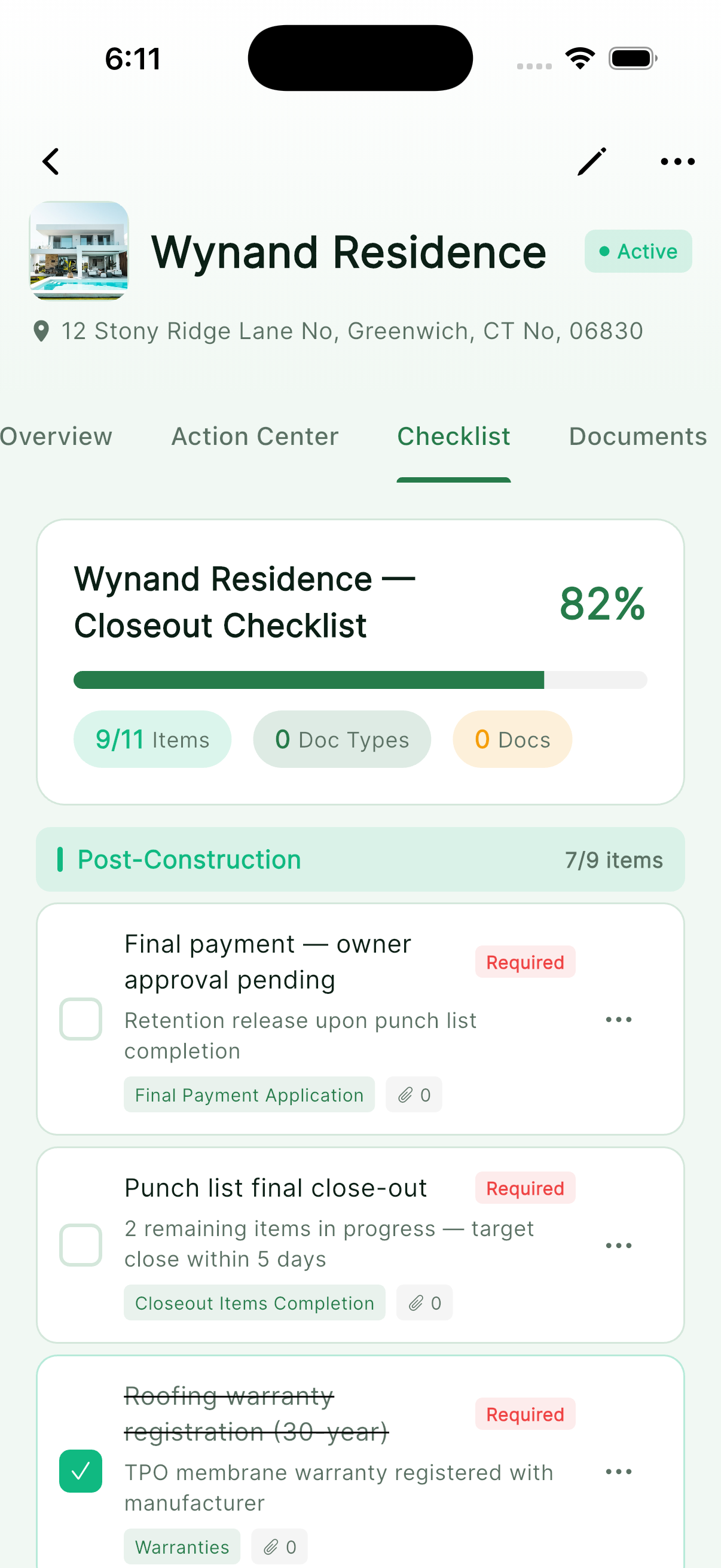
Closeout checklist in Closr+ on iPhone

Closeout checklist

Make every requirement visible.

Track required deliverables and completion from one project checklist instead of rebuilding the list at the end.

Handover in Closr+ on iPhone

Handover

Finish with an organized package.

Bring closeout documents and handoff details together for a deliberate final delivery.

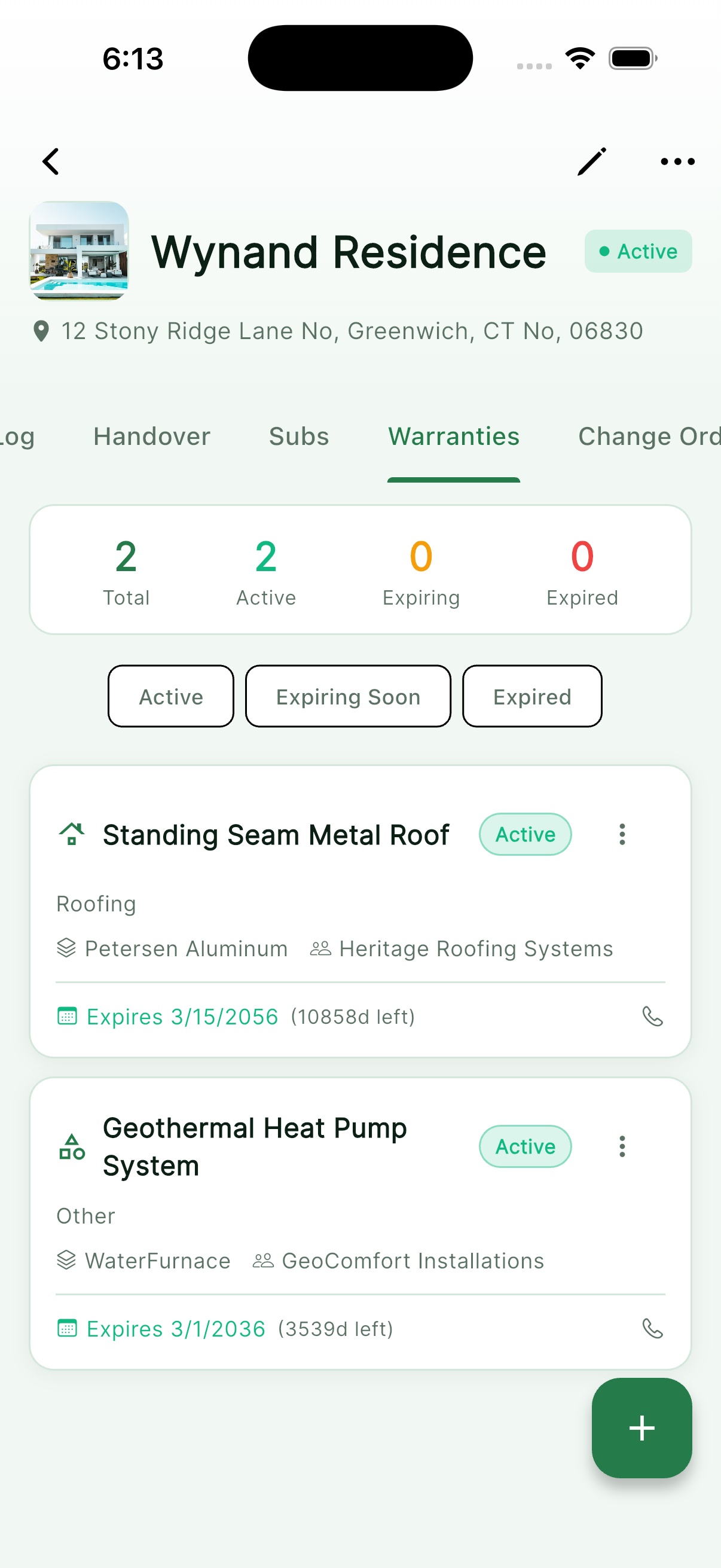
Warranty register in Closr+ on iPhone

Warranty register

Keep obligations findable.

Record warranty information where the project team can retrieve it after the site work is complete.

Built by Lab Architect for construction teams.

No advertisingNo cross-company trackingNo sale of user data
Closr+ app icon

Close it once. Close it right.

Give the last phase the structure it deserves.

Download Closr+ for iPhone and iPad, or open the web app from your desktop.

Free to download. Subscription options are available in the app.